TL;DR: Describe your ideal prospect in plain English — AI People Search finds matching leads with LinkedIn profiles, qualification scores, and company data. Import matches directly to a lead list for email and phone enrichment.
AI People Search
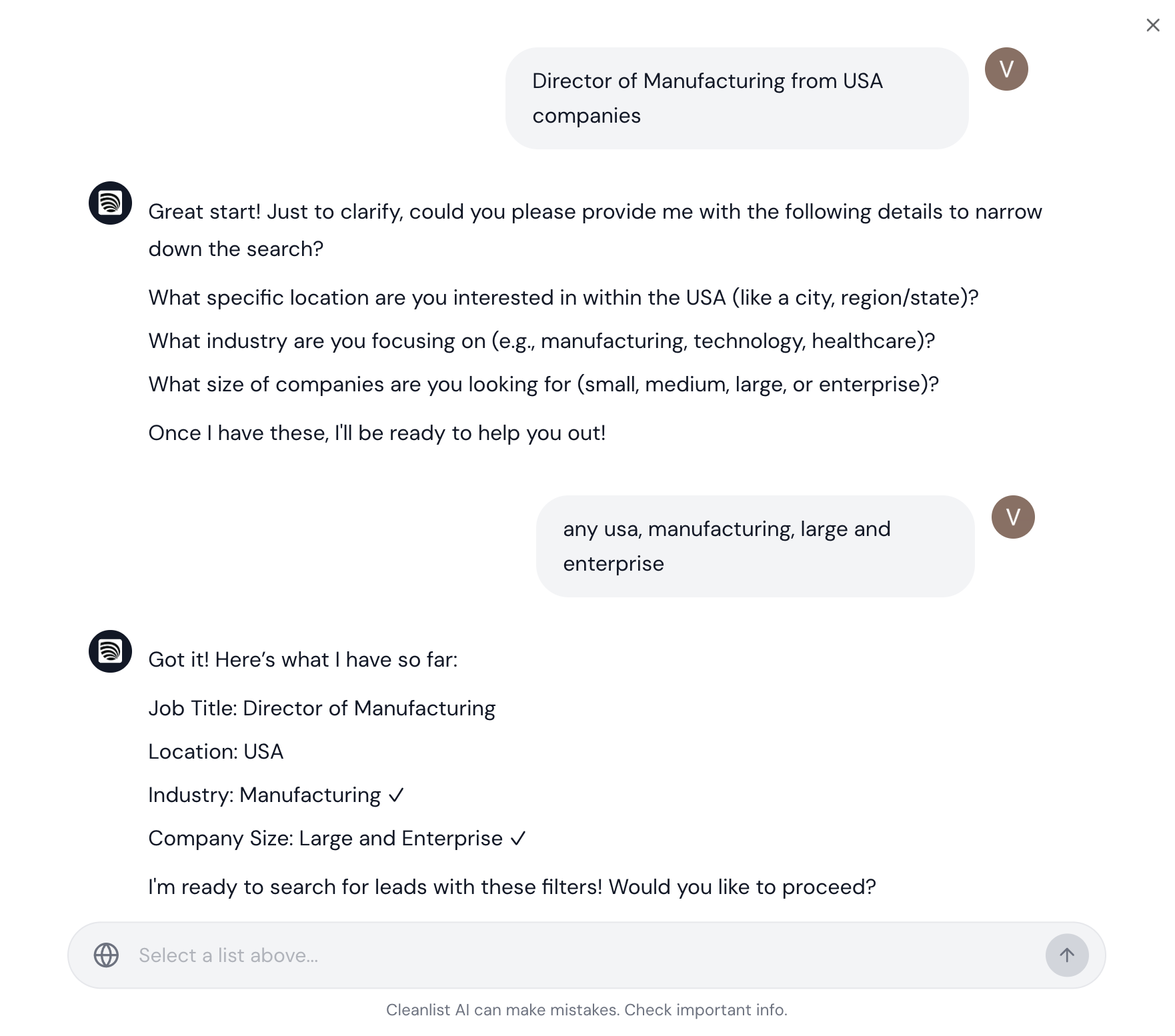
Cleanlist's AI People Search lets you describe your ideal prospect in plain English and get back a list of qualified leads — complete with LinkedIn profiles, job titles, company data, and qualification scores.
How does AI People Search work?
- Describe your target in natural language (e.g., "Find CTOs at fintech startups with 50-200 employees in New York")
- AI interprets your query and searches across millions of profiles using Exa AI
- Results are qualified — each lead gets a confidence score based on founder status, B2B relevance, industry match, company size, and geography
- Import to a list — select matches and send them directly to a lead list for enrichment
What criteria can I search with AI People Search?
The AI understands complex queries combining:
- Job titles & seniority: "VP of Marketing", "C-level executives", "Engineering Managers"
- Company characteristics: "SaaS companies", "Series B startups", "enterprise companies with 1000+ employees"
- Industry: "fintech", "healthcare tech", "e-commerce"
- Geography: "based in San Francisco", "European companies", "UK-based"
- Specific criteria: "founders who previously worked at Google", "people who recently changed jobs"
Qualification Scoring
Every result includes an AI qualification with:
| Score | What It Checks |
|---|---|
| Confidence | High, Medium, or Low — overall match quality |
| Is Founder | Whether the person is a company founder |
| Is B2B | Whether they work in B2B (vs B2C) |
| Industry Match | How well their industry matches your query |
| Country Match | Geographic alignment |
| Employee Range | Company size match |
| Funding Stage | Startup stage alignment |
Conversation Context
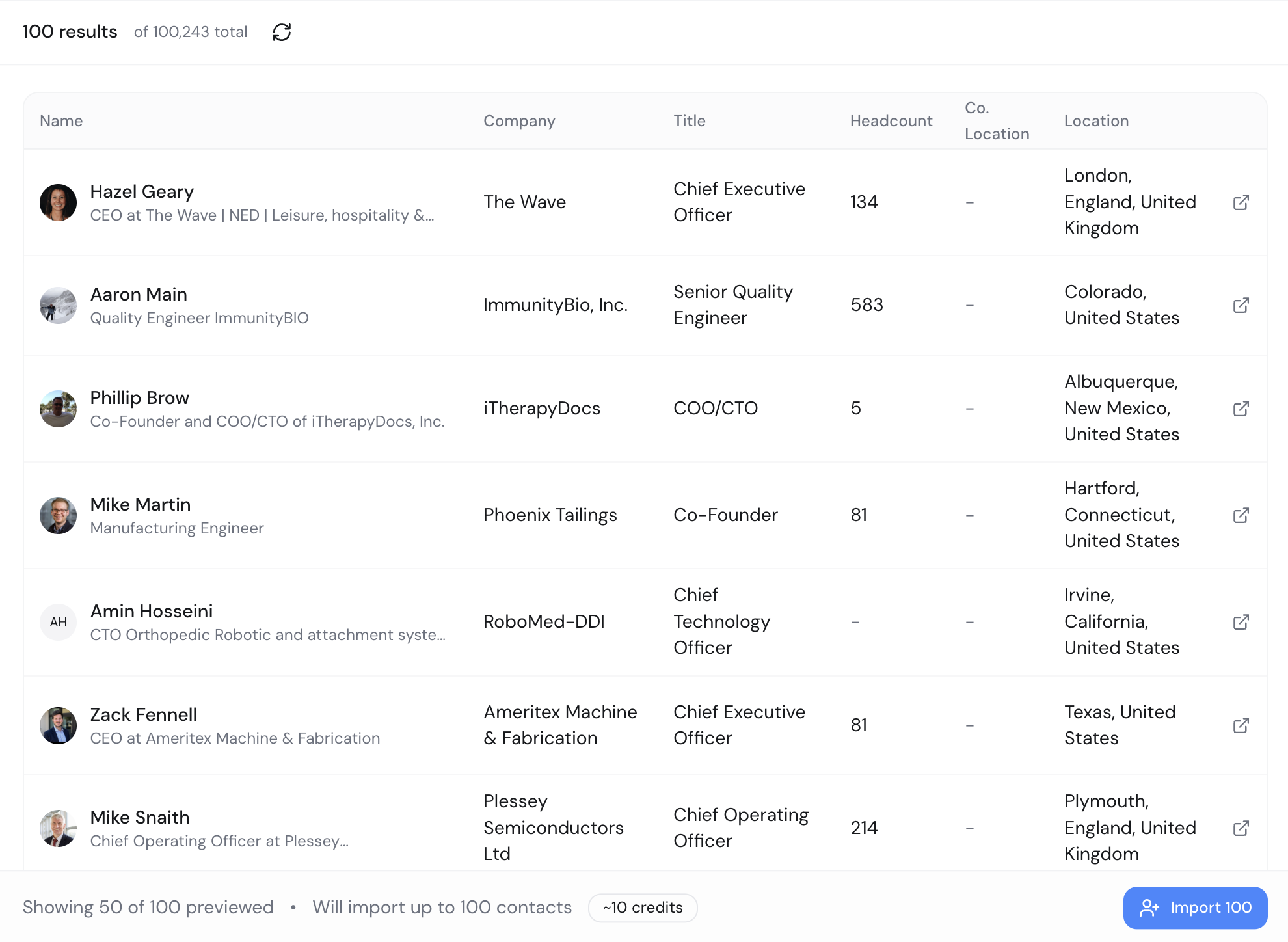
AI Search supports multi-turn conversations. You can refine your search:
- "Find me VP Sales at SaaS companies in SF"
- "Now narrow it to companies with 50-200 employees"
- "Exclude anyone who's been in their role less than 6 months"
The AI remembers your previous queries and progressively refines results.
Importing Results
After finding matches:
- Select individual leads or use bulk select
- Choose a destination lead list (or create a new one)
- Pick enrichment type: Partial (email only) or Full (email + phone)
- Click Import — leads are added to your list and enrichment begins
Credits
AI People Search charges credits per matched lead found. Check your balance before running large searches.
- Results are charged when found (not when imported)
- Enrichment credits are separate and charged when you import to a list
- Cancel an active search to stop additional credit usage
Tips for Best Results
- Be specific — "VP Sales at B2B SaaS companies with 100-500 employees in US" beats "sales people"
- Use job titles — The AI matches on exact titles first, then similar roles
- Set result limits — Start with 25-50 results to validate quality, then scale up (max 2,500)
- Refine iteratively — Use conversation context to narrow results
- Combine with enrichment — Import matches and enrich to get verified emails and phones
API Access
AI People Search is available via the portal. Contact support for programmatic API access.
Learn More
- Enrichment providers — How we verify found contacts
- Managing lead lists — Organize your imported leads
- Smart Agents — Extract additional data with AI
- People Search product page (opens in a new tab)